
Red Hat Certified Specialist in Linux Diagnostics and Troubleshooting
- Practice- Focused prep for the official Red Hat Certified Specialist in Linux Diagnostics and Troubleshooting exam.
- Updated to latest Red Hat Certified Specialist in Linux Diagnostics and Troubleshooting exam blueprint
Share this Course
The Red Hat Certified Specialist in Linux Diagnostics and Troubleshooting certification validates your ability to identify, analyze, and resolve complex issues in Red Hat Enterprise Linux systems. It focuses on real-world troubleshooting skills such as diagnosing system boot failures, fixing network and file system issues, resolving package management errors, and handling application or authentication problems. This performance-based certification proves your expertise in maintaining system stability and minimizing downtime in enterprise environments.
Earning this certification enhances your credibility as a Linux system administrator or DevOps professional and contributes toward advanced credentials like Red Hat Certified Architect (RHCA). With Certify360.ai, you can prepare effectively through practice exams, real-world scenarios, and exam-focused learning resources that mirror the EX342 exam pattern—helping you build confidence, improve troubleshooting speed, and pass on your first attempt.
Exam Overview
120 mins
24 questions
$ 375
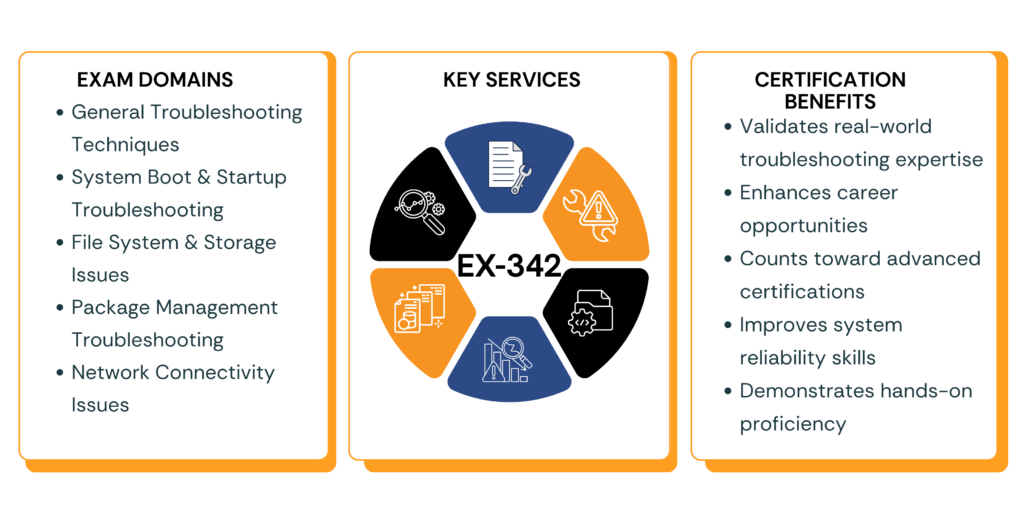
Key Domain and Weighting
Why Choose US?
Unlock your potential with over 3,000 expertly crafted questions for the Recognition as Red Hat Certified Specialist in Linux Diagnostics and Troubleshooting exam!
Your Path to Success: 320 Students Passed the Recognition as a Data Engineering on Microsoft Power Platform Functional Consultant with Our Guidance
Join the Elite: Achieve a 93.9% Average Score on AI Practitioner -Data Engineering on Microsoft Azure with Our Realistic Preparation and Near-Real Questions!
Certification Study Guides
1. Build a Strong Troubleshooting Foundation
- Learn a structured troubleshooting approach (identify, analyze, fix, verify).
- Practice collecting system data using logs, monitoring tools, and documentation.
- Focus on root cause analysis and real-time problem-solving techniques.
2. Master System Boot & Kernel Troubleshooting
- Understand the Linux boot process (GRUB, systemd, kernel).
- Practice fixing boot failures and regaining root access.
- Learn to manage kernel modules and diagnose hardware-related issues.
3. Practice File System & Storage Recovery
- Repair corrupted file systems and recover lost data.
- Troubleshoot LVM configurations and encrypted storage issues.
- Work with disk failures and storage connectivity problems (iSCSI).
4. Strengthen Package Management Skills
- Resolve RPM and dependency issues.
- Recover damaged package databases.
- Verify and restore altered system files.
5. Improve Network Troubleshooting Expertise
- Diagnose connectivity issues using standard Linux tools.
- Analyze network traffic and fix misconfigurations.
- Practice DNS, routing, and firewall troubleshooting.
6. Debug Applications & Services
- Identify application failures and dependency issues.
- Use debugging tools to resolve performance and service errors.
- Troubleshoot SELinux-related restrictions.
7. Handle Authentication & Security Issues
- Fix authentication problems related to PAM, LDAP, and Kerberos.
- Troubleshoot identity management and access control issues.
8. Learn System Diagnostics & Data Collection
- Gather logs and diagnostic reports for analysis.
- Create kernel crash dumps and use tools like SystemTap.
- Prepare data for third-party troubleshooting support.
9. Hands-On Lab Practice (Most Important)
- Practice in a real or virtual Red Hat Enterprise Linux environment.
- Simulate failures (boot, network, storage) and resolve them.
- Focus on speed, accuracy, and persistence of configurations after reboot.
10. Exam Preparation Strategy
- Follow official RH342 course or equivalent training.
- Practice multiple troubleshooting scenarios under time constraints.
- Focus on performance-based tasks, not theoretical knowledge.
Best Resources
- Red Hat Official RH342 Training Course
- Red Hat Certification Exam Objectives (EX342)
- Red Hat Documentation & Knowledgebase
- Linux System Administration Guides
- Community Forums and Troubleshooting Discussions
- Certify360 Practice Exams and Hands-on Labs
How to Pass the Examination
Understand the Exam Objectives
- Focus on troubleshooting across boot, storage, network, and services
- Learn real-world problem-solving instead of just theory
Hands-On Practice
- Practice in a live Red Hat Enterprise Linux environment
- Simulate system failures and resolve them efficiently
Use Practice Tests
- Attempt scenario-based mock exams on Certify360
- Improve speed, accuracy, and time management
Master Key Tools
- Learn essential Linux troubleshooting commands and utilities
- Practice using logs, monitoring tools, and debugging techniques
Tips to Pass
a. Focus on Core Domains
- Boot and system initialization
- File systems and storage
- Network troubleshooting
- Package management
- Application and service issues
- Security and authentication
b. Use Official Resources
- Red Hat training materials and documentation
- Exam blueprint and course guides
c. Practice Real Scenarios
- Work on real-time troubleshooting cases
- Fix common Linux issues under time constraints
d. Take Mock Tests on Certify360
- Use AI-based practice exams and labs
- Analyze performance and improve weak areas
- Build confidence with real exam-like scenarios
How Learners Benefited from Certify360 in Achieving Certification ?
Pass EX-342 on your First Try
AI-powered practice tests designed to simulate the real exam
- No Credit Card Required